DocsStart here
Create a project
A project is one repository, one branch, and the address it is published at. This is the form that sets all three.
Where this lives: Dashboard → New project
Press New project on the dashboard and paste the HTTPS URL of a public GitHub repository. Everything else on the form has a sensible default, so you can create the project first and adjust the build afterwards.
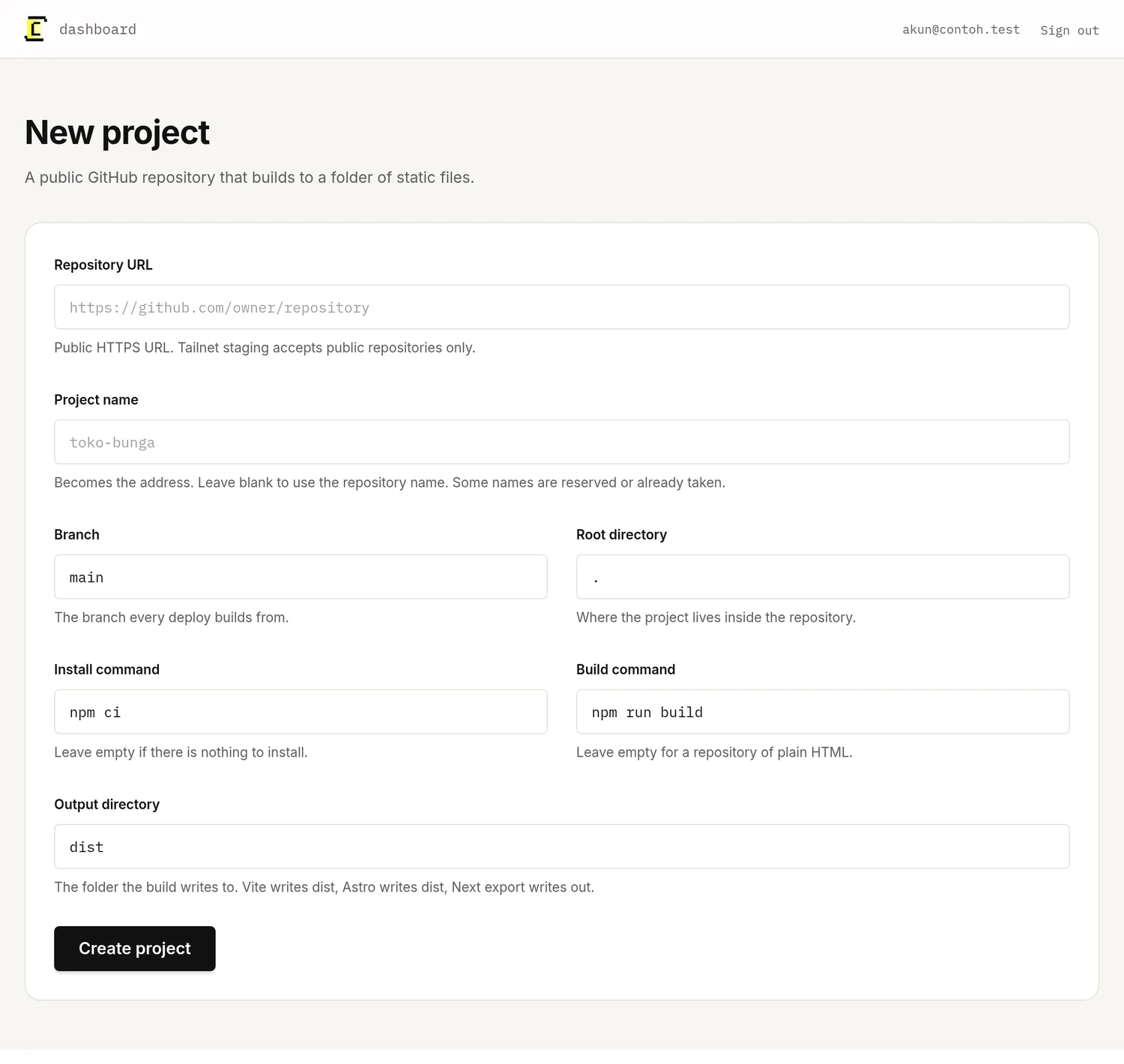
Every field on the form
| Field | What to put in it |
|---|---|
| Repository URL | The public HTTPS URL, like https://github.com/owner/repository. Tailnet staging accepts public repositories only. |
| Project name | Becomes your address. Leave it blank to use the repository name. |
| Branch | The branch every deploy builds from. Usually main. |
| Root directory | Where the project lives inside the repository. Leave it as . unless the app sits in a subfolder. |
| Install command | What fetches dependencies, usually npm ci. Leave it empty if there is nothing to install. |
| Build command | What produces the site, usually npm run build. Leave it empty for a repository of plain HTML. |
| Output directory | The folder the build writes into. Vite and Astro write dist, a Next export writes out. |
The project name becomes the address
Whatever you type as the project name is the hostname your site is served on until you add a domain of your own:
toko-bunga → toko-bunga.chimelab.test
Use lowercase letters, numbers and hyphens. Names are first come, first served across all of ChimeLab, so a very general one may already be taken, and a few (app, auth, www, and others reserved for ChimeLab itself) can never be used.
A monorepo, or an app in a subfolder
Set the root directory to the folder holding the package.json you want built — apps/web, for example. Every command then runs from there, and the output directory is read relative to it.