DocsBuild
Deploy, and read the log while it runs
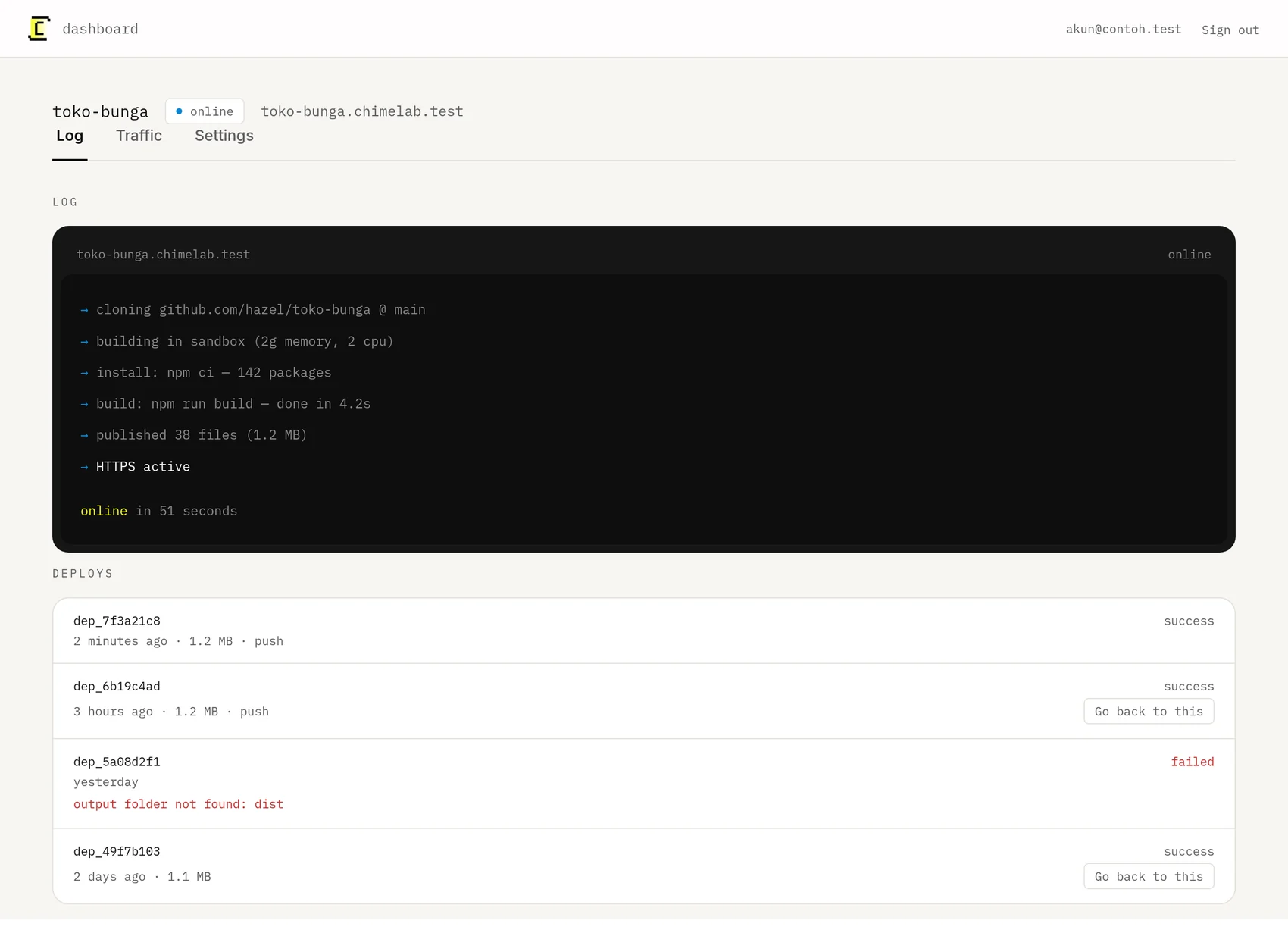
The log is the whole build, in plain text, as it happens. When something goes wrong, the answer is almost always in the last three lines.
Where this lives: Dashboard → Project
Press Deploy on the project page to build the current state of your branch. Every deploy keeps its own log, whether you started it or a push did.
What a successful log looks like
cloning github.com/hazel/toko-bunga @ main
building in sandbox (2g memory, 2 cpu)
install: npm ci — 142 packages
build: npm run build — done in 4.2s
published 38 files (1.2 MB)
HTTPS active
Line by line
| Line | What it means |
|---|---|
| cloning | We are fetching your branch. A failure here is nearly always access to the repository. |
| building in sandbox | A fresh container, with nothing left over from your last deploy. |
| install | Your install command ran. The package count is what it actually fetched. |
| build | Your build command ran and exited successfully. |
| published | The contents of your output directory are now live. A count of zero means the folder was wrong or empty. |
| HTTPS active | The certificate is in place and the address is serving over https. |
While it is running
The status reads building and the site currently live stays live. A deploy never takes your site down: the new one is published only after it has built successfully, so a failure leaves the previous version serving.
When it fails
The status reads failed and the log stops at the step that broke, with that step's own error underneath it. Common build failures covers the ones people hit most.
Deploying on every push
Out of the box, a deploy happens when you press the button. To have a push do it instead, install the ChimeLab app on GitHub for the repositories you want watched, then turn on push deploys for the project. From then on, a push to that project's branch builds and publishes on its own.
The setting is per project, so a staging copy can deploy on every push while the production one stays deliberate. Pushes to any other branch are ignored.