DocsManaging a project
Roll back to a previous deploy
Every deploy is kept. If the one you just shipped is wrong, going back to the last good one is immediate and does not rebuild anything.
Where this lives: Dashboard → Project → Deploys
The Deploys list on the project page holds every build the project has ever run, newest first, each with its commit, its status, and its own log. The one currently serving is marked.
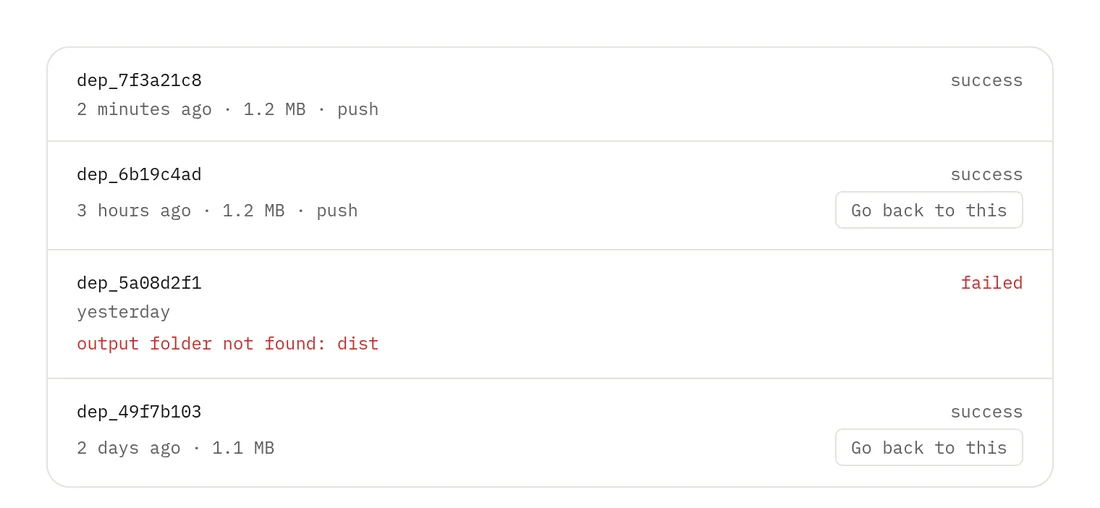
Rolling back
Find the deploy you want to be live again and choose Roll back. The switch takes effect immediately — that build is already published on disk, so going back is a pointer change rather than another build. No rebuild means nothing can fail on the way.
What rollback does not undo
It changes which build is served, and nothing else. Environment variables, build settings, domains and DNS all stay exactly as they are now. If the bad deploy came with a variable change, change that back too, or the next deploy will reintroduce it.